
Products
Qonnectra Lite
Lightweight TCP, UDP and Serial Port connection testing tool.
Qonnectra Lite is a lightweight Windows desktop application designed to test TCP Client, TCP Server, UDP and Serial/COM Port communication. It helps developers and technical teams send and receive messages, monitor communication traffic and validate device or application connectivity through a simple interface.
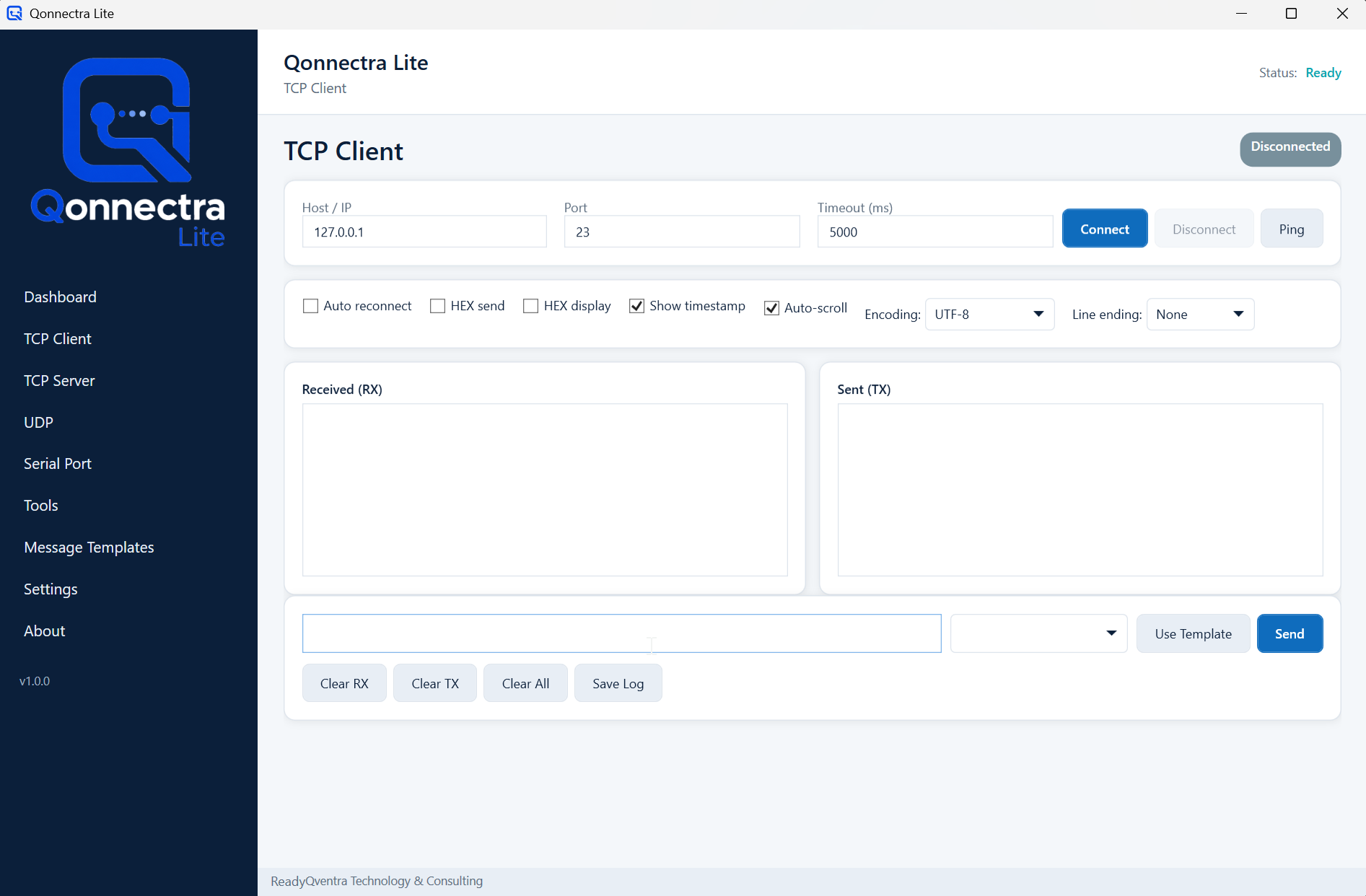
A practical tool for communication testing
Testing communication between devices, applications and services often requires a fast and reliable utility. Qonnectra Lite brings TCP, UDP and Serial/COM Port testing into a simple desktop environment.
It is designed for software developers, technical support teams, automation specialists and integration teams who need to validate connections, send test messages and monitor incoming or outgoing data during development, setup or troubleshooting.
What Qonnectra Lite helps you do
TCP Client Testing
Connect to a remote host and port, send test messages and monitor the response.
TCP Server Mode
Listen on a selected port, accept incoming connections and review received messages.
UDP Messaging
Send and receive UDP packets for lightweight communication testing scenarios.
Serial/COM Port Testing
Communicate with serial devices by configuring port, baud rate, parity, data bits and stop bits.
Message Monitor
Track incoming and outgoing messages in a clear log view during test sessions.
Basic Connection Checks
Run simple connectivity checks such as ping and connection validation before deeper troubleshooting.
Typical use cases
- TCP socket testing
- UDP message testing
- Serial device communication
- IoT device validation
- Industrial automation testing
- Barcode reader or terminal communication checks
- Sensor and controller communication testing
- Software development and debugging
Download Qonnectra Lite
Download the latest Windows version of Qonnectra Lite and start testing TCP, UDP and Serial/COM Port communication scenarios.
- Latest version
- 1.0.0
- Platform
- Windows
- File name
- QonnectraLite.exe
- File type
- EXE
- Release status
- Initial release
Before installation, make sure the file is downloaded from the official Qventra website.
Download Qonnectra LiteResponsible use
Qonnectra Lite is designed for legitimate connection testing, device communication validation and debugging. It is not designed for unauthorized access, aggressive port scanning, attack simulation or security exploitation.
Product roadmap
- Saved connection profiles
- Message templates
- Hex and text message modes
- Log export
- Session history
- Multi-language interface
- Dark and light theme
- Automatic update support
Frequently asked questions
Is Qonnectra Lite related to SAP?+
No. Qonnectra Lite is not an SAP product and does not connect to SAP systems. It is a general-purpose TCP, UDP and Serial/COM Port connection testing tool.
Which protocols does Qonnectra Lite support?+
The product is designed for TCP Client, TCP Server, UDP and Serial/COM Port communication scenarios.
Who can use Qonnectra Lite?+
It is suitable for software developers, technical support teams, automation specialists, IoT developers, device integration teams and test engineers.
Is Qonnectra Lite a port scanner or security testing tool?+
No. Qonnectra Lite is not designed for port scanning, attack simulation or penetration testing. It is intended for controlled communication testing and debugging.
What file will users download?+
Users will download the Windows executable file named QonnectraLite.exe.
Questions about Qonnectra Lite?
Contact us for licensing, deployment or feedback on connection testing workflows.